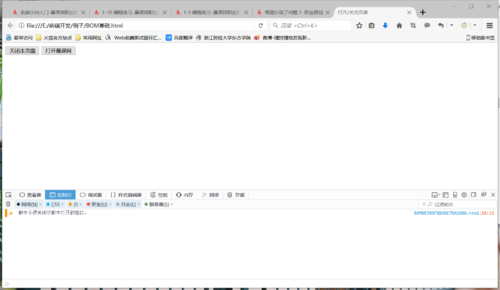
哪里出现了问题?
来源:1-14 编程练习

赫宰有坏人怎么办
2017-10-15 16:21:57
<!DOCTYPE html>
<html>
<head>
<meta charset="UTF-8">
<title>打开/关闭页面</title>
</head>
<body>
<input type="button" value="关闭本页面" id="close">
<input type="button" value="打开慕课网" id="open">
<script type="text/javascript">
//补充代码
var open=document.getElementById("open");
var close=document.getElementById("close");
open.onclick=function(){
window.open("http://www.imooc.com","imooc");
}
close.onclick=function(){
window.close();
}
</script>
</body>
</html>
写回答
2回答
-

樱桃小胖子
2017-10-16
<!DOCTYPE html>
<html>
<head>
    <meta charset="UTF-8">
    <title>打开/关闭页面</title>
</head>
<body>
<input type="button" value="关闭本页面" id="close">
<input type="button" value="打开慕课网" id="open">
<script type="text/javascript">
    //补充代码
//    变量不能使用open和close,open和close为关键字,不建议作为变量。修改可参考如下:
    var op=document.getElementById("open");
    var cl=document.getElementById("close");
    cl.onclick=function(){
        window.close();
    };
    op.onclick=function(){
//        这里要设置width=1000px,height=500px,top=30px,left=300px,scrollbar=no浏览器窗口打开的大小和位置
        window.open("http://www.imooc.com","imooc","width=1000px,height=500px,top=30px,left=300px,scrollbar=no");
    };
</script>
</body>
</html>
希望可以帮到你,祝学习愉快!
0 -
赫宰有坏人怎么办
提问者
2017-10-15
 0
0
相似问题