在fragment中可以用replace吗?
来源:5-1 Fragment之间传值

110177
2017-09-26 13:59:44
比如同一个activity的一个fragment_01通过一个button将edittext中的值传到另一个frogment_02,02有一个textview显示接受的值,还有一个button想点击后返回fragment_01,可不可以在fragment_02里面用replace替换回fragment_01?
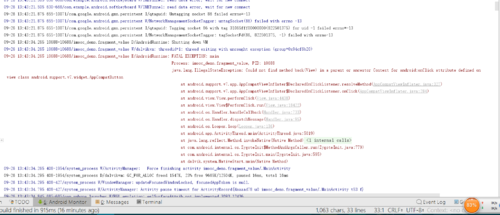
我这么写运行崩溃,求解
package imooc_demo.fragment_value;

import android.support.v7.app.AppCompatActivity;
import android.os.Bundle;

public class MainActivity extends AppCompatActivity {

    @Override
    protected void onCreate(Bundle savedInstanceState) {
        super.onCreate(savedInstanceState);
        setContentView(R.layout.activity_main);
        getSupportFragmentManager().beginTransaction().add(R.id.activity_main,new FragmentValue(),"value").commit();
    }

}
package imooc_demo.fragment_value;
import android.os.Bundle;
import android.support.annotation.Nullable;
import android.support.v4.app.Fragment;
import android.view.LayoutInflater;
import android.view.View;
import android.view.ViewGroup;
import android.widget.Button;
import android.widget.EditText;
import java.util.zip.Inflater;
public class FragmentValue extends Fragment {
@Nullable
@Override
public View onCreateView(LayoutInflater inflater, @Nullable ViewGroup container, @Nullable Bundle savedInstanceState) {
View view= inflater.inflate(R.layout.fragment_value,container,false);
final EditText editText= (EditText) view.findViewById(R.id.et);
Button button=(Button) view.findViewById(R.id.bt_send);
button.setOnClickListener(new View.OnClickListener() {
@Override
public void onClick(View v) {
FragmentTake fragmentTake=new FragmentTake();
Bundle bundle=new Bundle();
bundle.putString("arg",editText.getText().toString());
fragmentTake.setArguments(bundle);
getFragmentManager().beginTransaction().replace(R.id.activity_main,fragmentTake,"take").commit();
}
});
return view;
}
}package imooc_demo.fragment_value;
import android.os.Bundle;
import android.support.annotation.Nullable;
import android.support.v4.app.Fragment;
import android.support.v4.app.FragmentManager;
import android.support.v4.app.FragmentTransaction;
import android.view.LayoutInflater;
import android.view.View;
import android.view.ViewGroup;
import android.widget.TextView;
public class FragmentTake extends Fragment {
@Nullable
FragmentManager fragmentManager;
public View onCreateView(LayoutInflater inflater, @Nullable ViewGroup container, @Nullable Bundle savedInstanceState) {
View view=inflater.inflate(R.layout.fragment_take,container,false);
TextView textView= (TextView) view.findViewById(R.id.tv);
textView.setText(getArguments().getString("arg"));
return view;
}
public void back(View view){
FragmentTransaction fragmentTransaction=fragmentManager.beginTransaction();
fragmentTransaction.replace(R.id.activity_main,new FragmentValue());
fragmentTransaction.commit();
}
}
写回答
1回答
-

irista23
2017-09-26
Fragment的切换有两种方式:1)replace();2)hide()和show()。
1)replace()方法是把原有的fragment替换掉,其实执行的是原有fragment的remove()被销毁,新的fragment的add(),这种方式一般适用于原有fragment不再需要。
2)hide()和show()方法是可以重用Fragment,原有fragment不会销毁也不会调用生命周期各个方法,这种方式适用于多个fragment的重用或不断切换。就你的需求而言,更适用于此种方式。
0
相似问题